Every process your people need, guided and in one library
Give everyone a licence key for the Bounty extension. They follow step-by-step guides inside the apps they work in, find every guide your team recorded in one library that Bounty’s AI organises by topic, and learn through the paths you set. No accounts to make, nothing for them to pay.
Closing a refund ticket, for a badge
Northwind’s support team works in a help desk web app. Here is one guide with a reward, from the admin recording it to a team member earning it, in real screens from the Bounty extension.
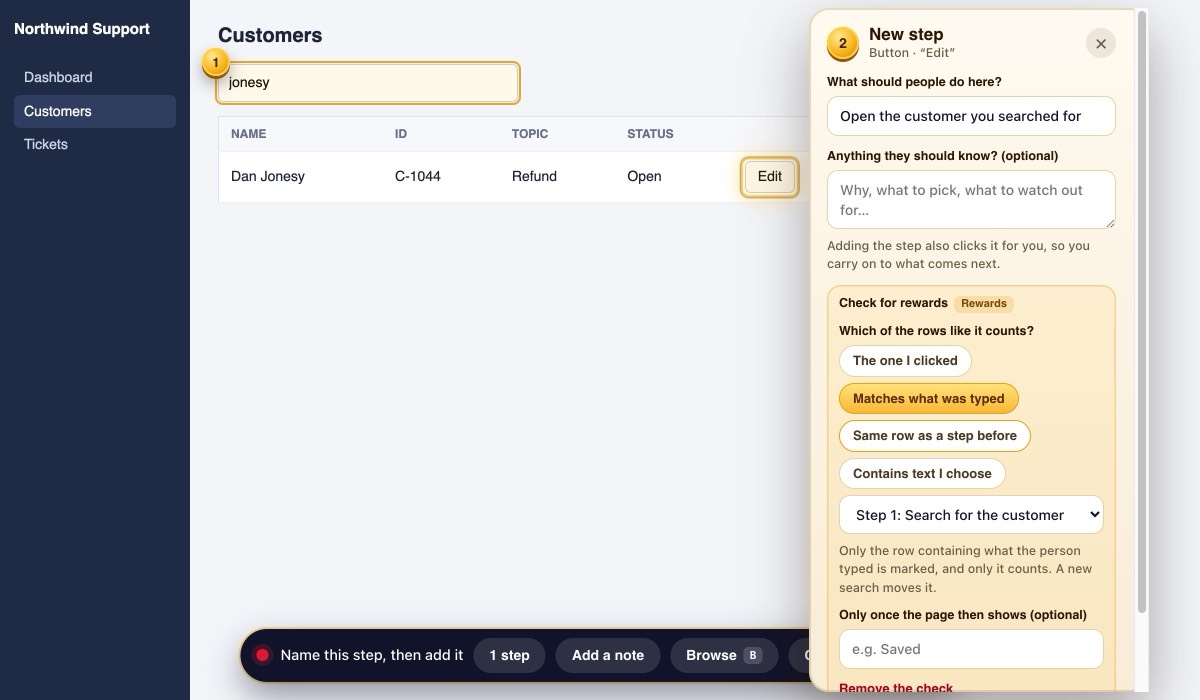
Record the task, and check the row
The admin does the task once in the help desk, as they always would. On the Edit button they add a check: only the row that matches what was searched for counts.
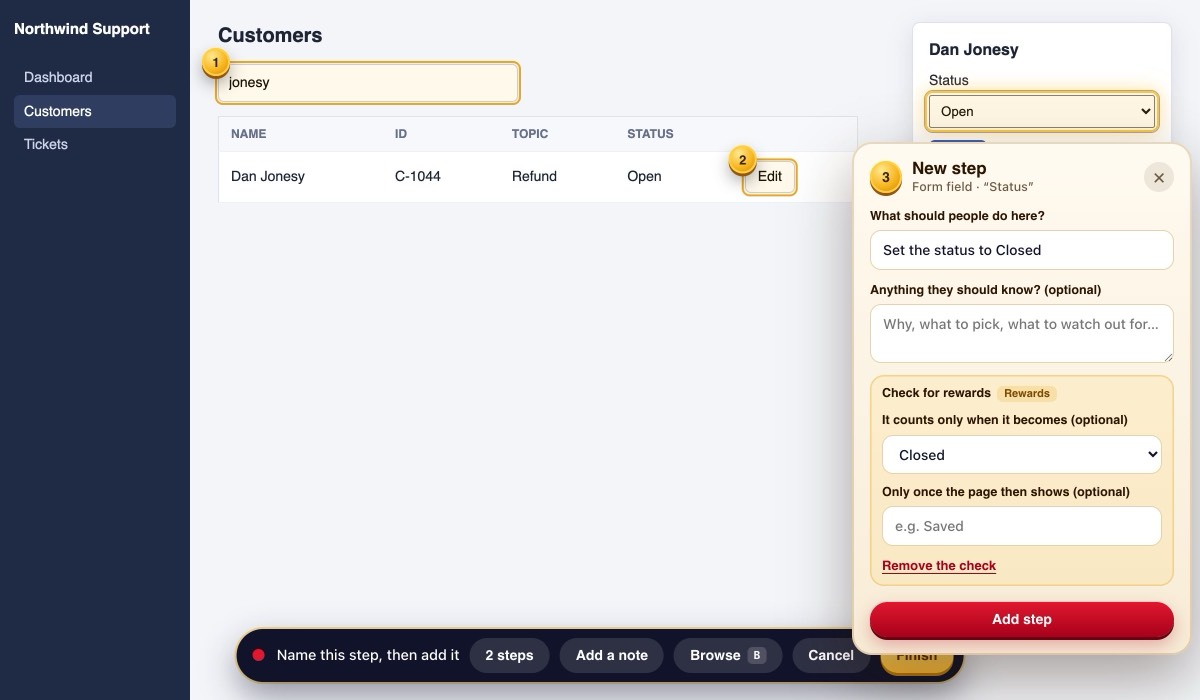
A field that has to end up right
The Status step counts only when it is set to Closed. For a drop-down, the admin picks from the app’s own options.
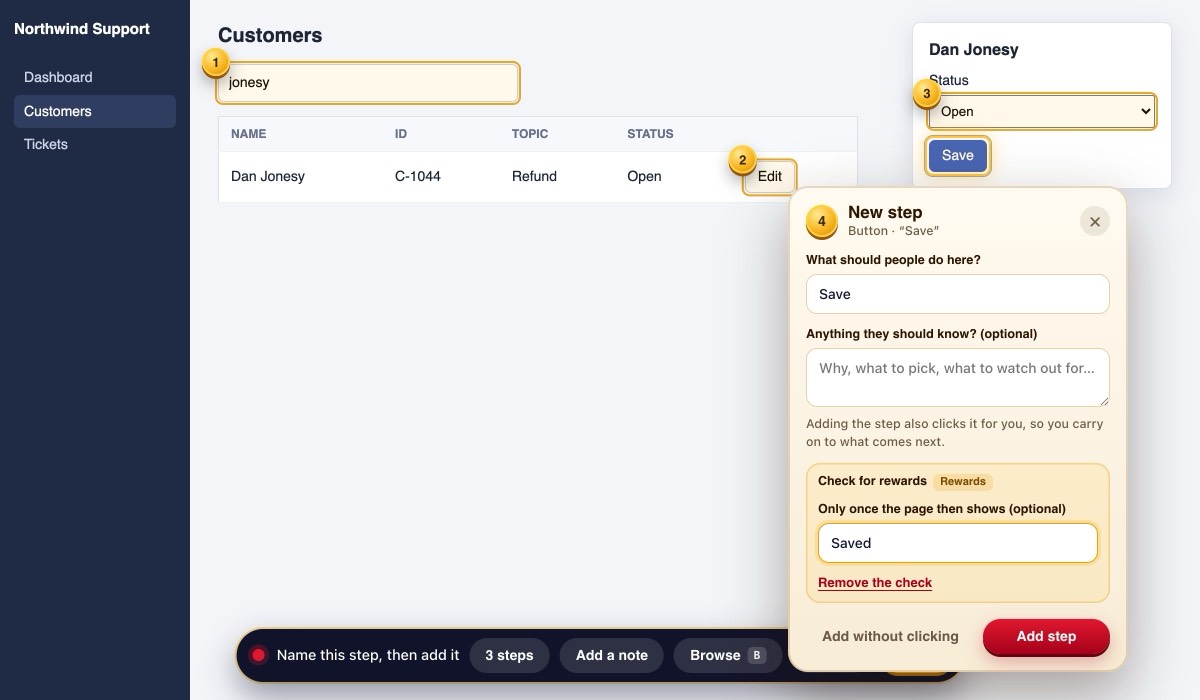
A save that has to go through
Save counts only once the help desk shows “Saved”, so a save that failed earns nothing.
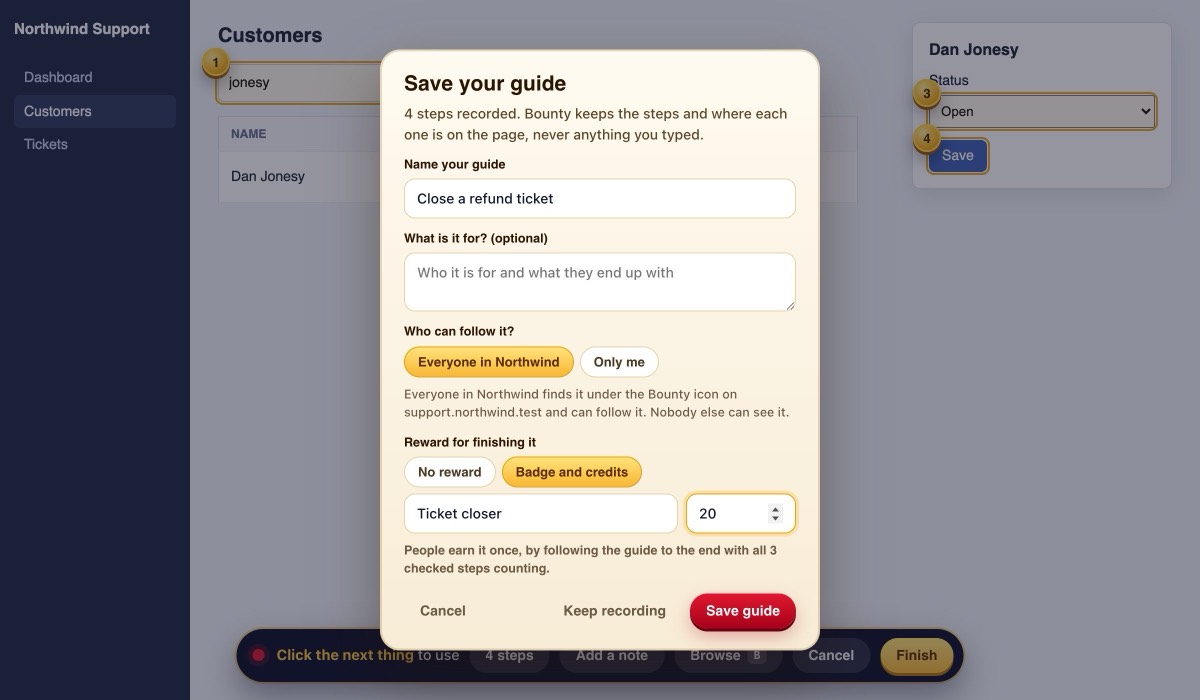
Share it, with a reward
Everyone in Northwind finds the guide under the Bounty icon on the help desk. Finishing it gives the badge “Ticket closer” and 20 credits.
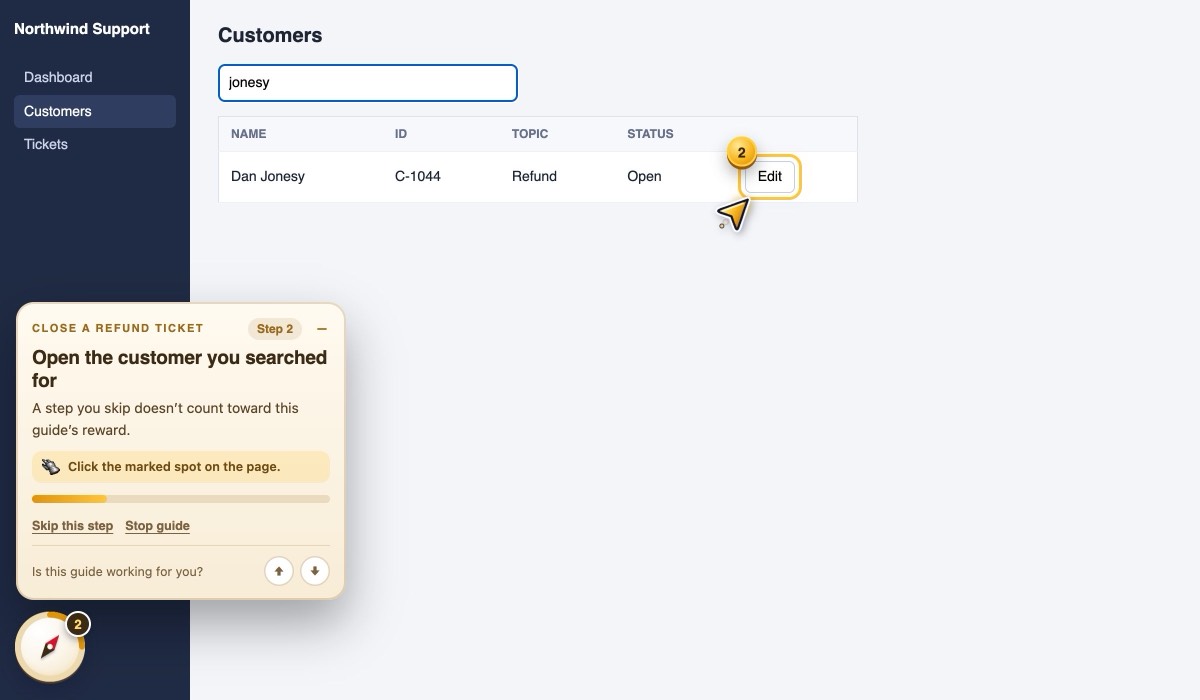
Their own row is marked
Ann searched for her customer: only that row’s Edit button is marked. A new search moves the mark to the new results.
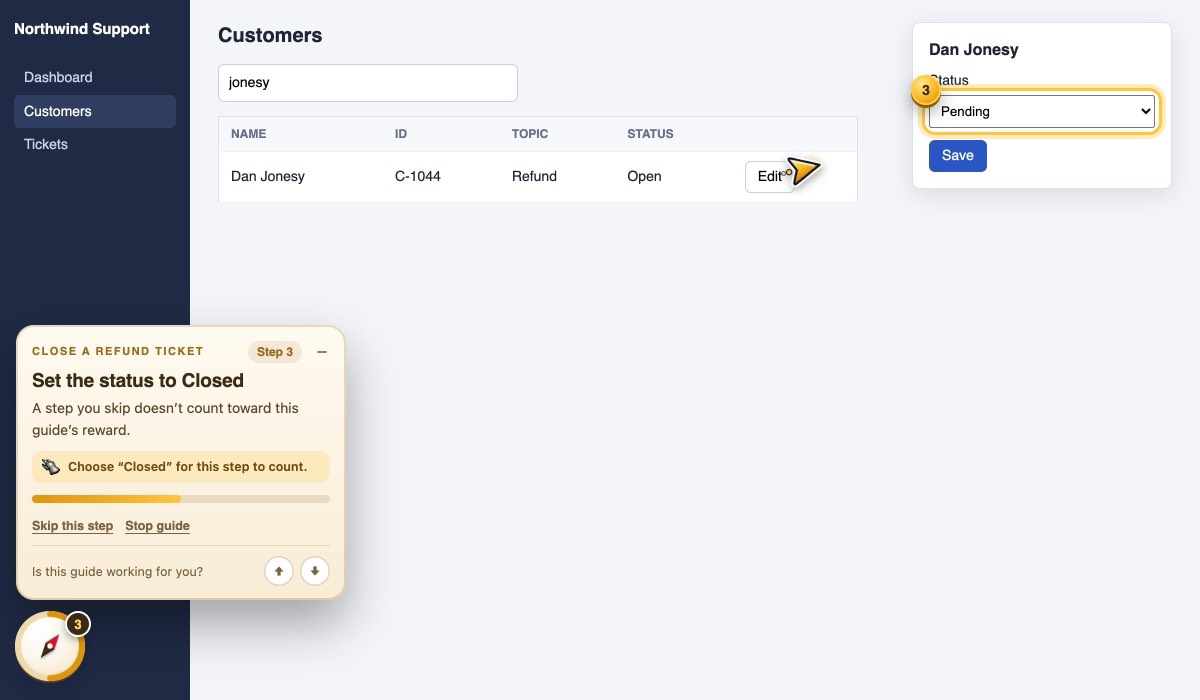
The wrong value doesn’t count
She picked Pending. The card keeps the step and asks for Closed.
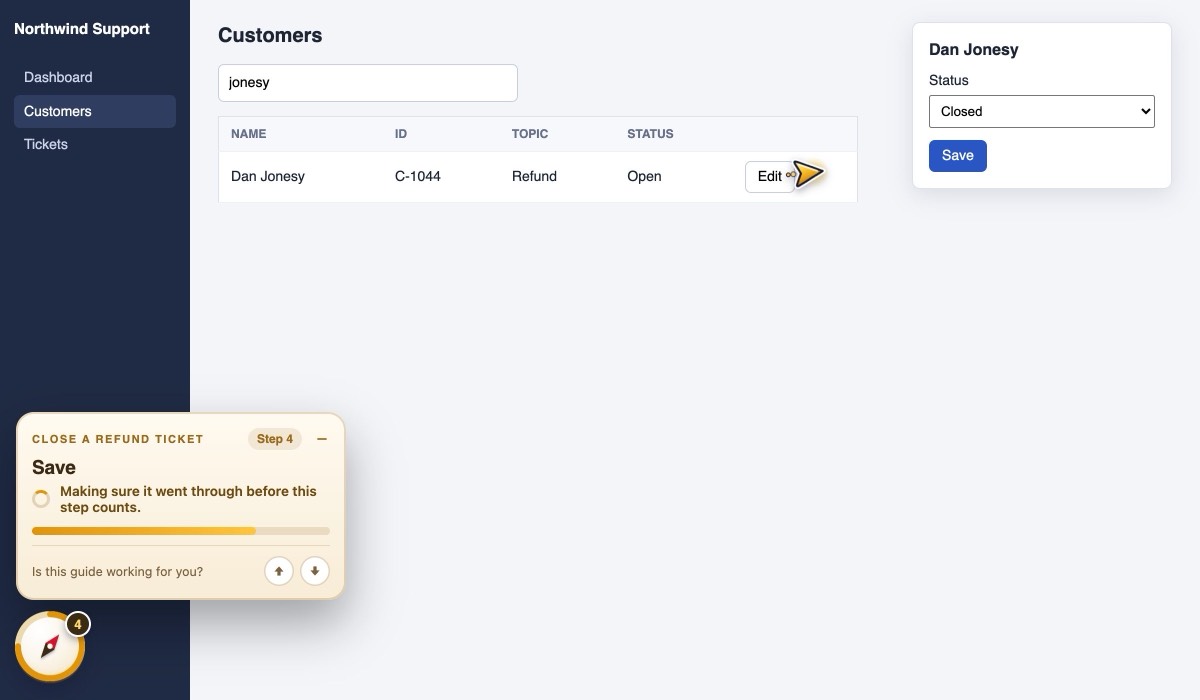
Bounty waits for the save
After Save, the card waits for the help desk to confirm it went through before the step counts.
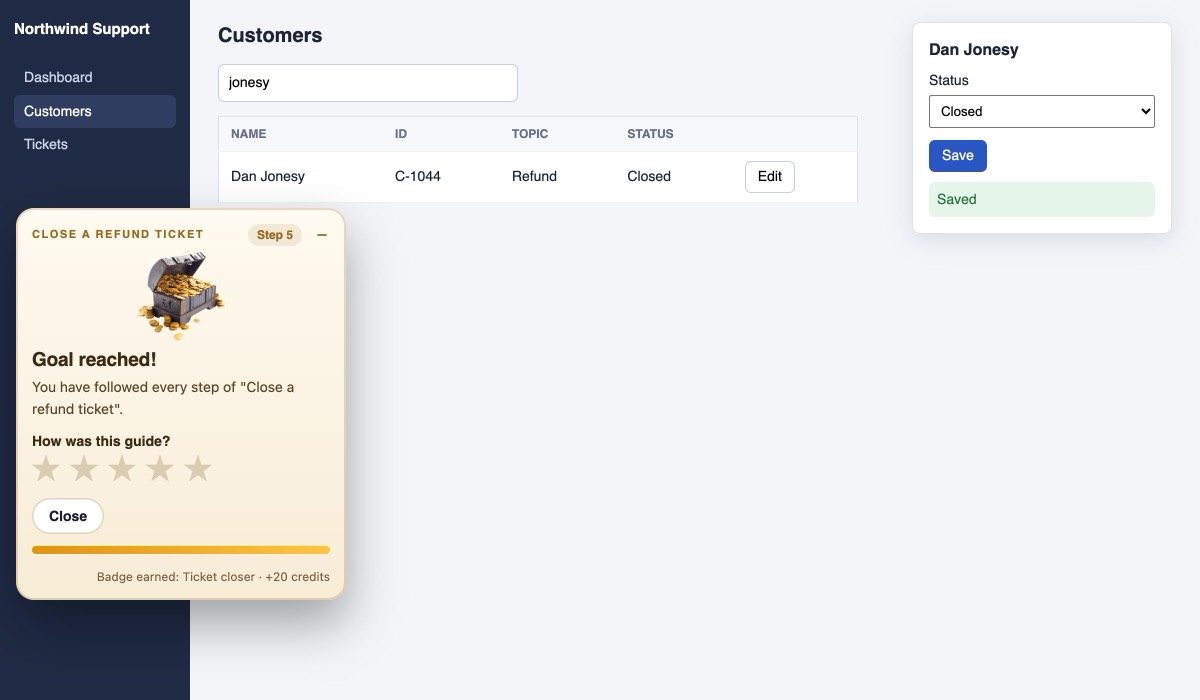
Badge earned
Every checked step done right: the badge and the credits are hers, once. She spends credits on the perks you offer.
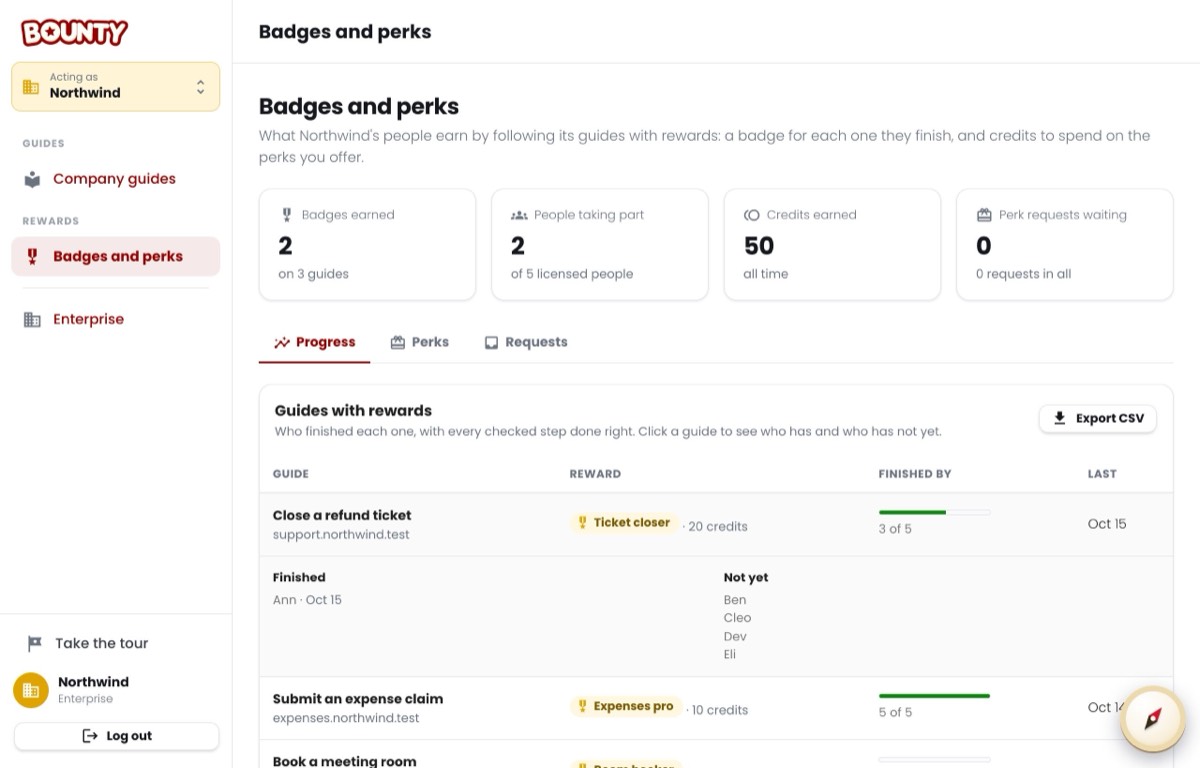
Who finished, who hasn’t yet
Badges and perks lists each guide with a reward, who finished it, and everyone’s credits. Perk requests wait here for an admin to approve.
Every guide your team made, organised for the people who need it
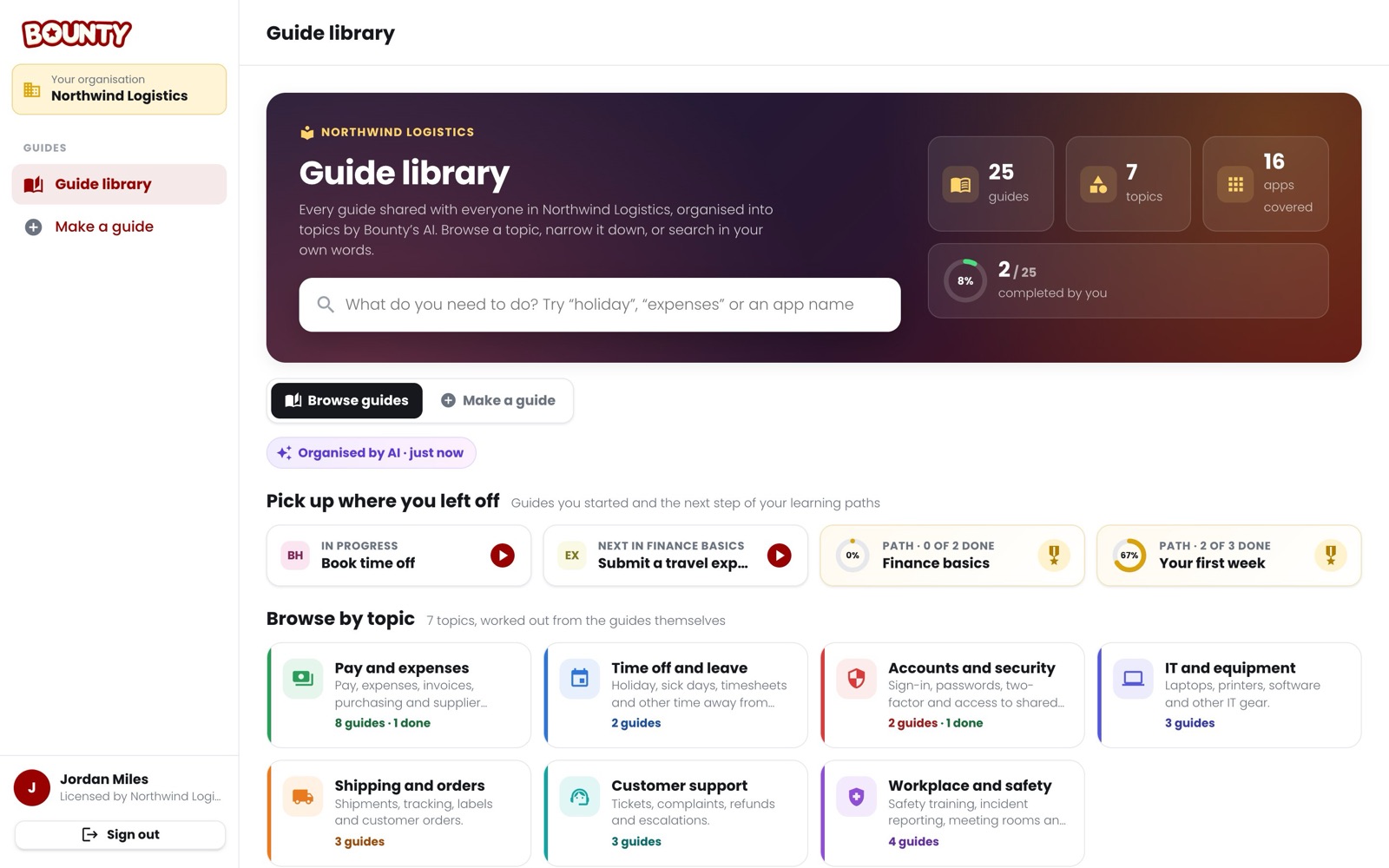
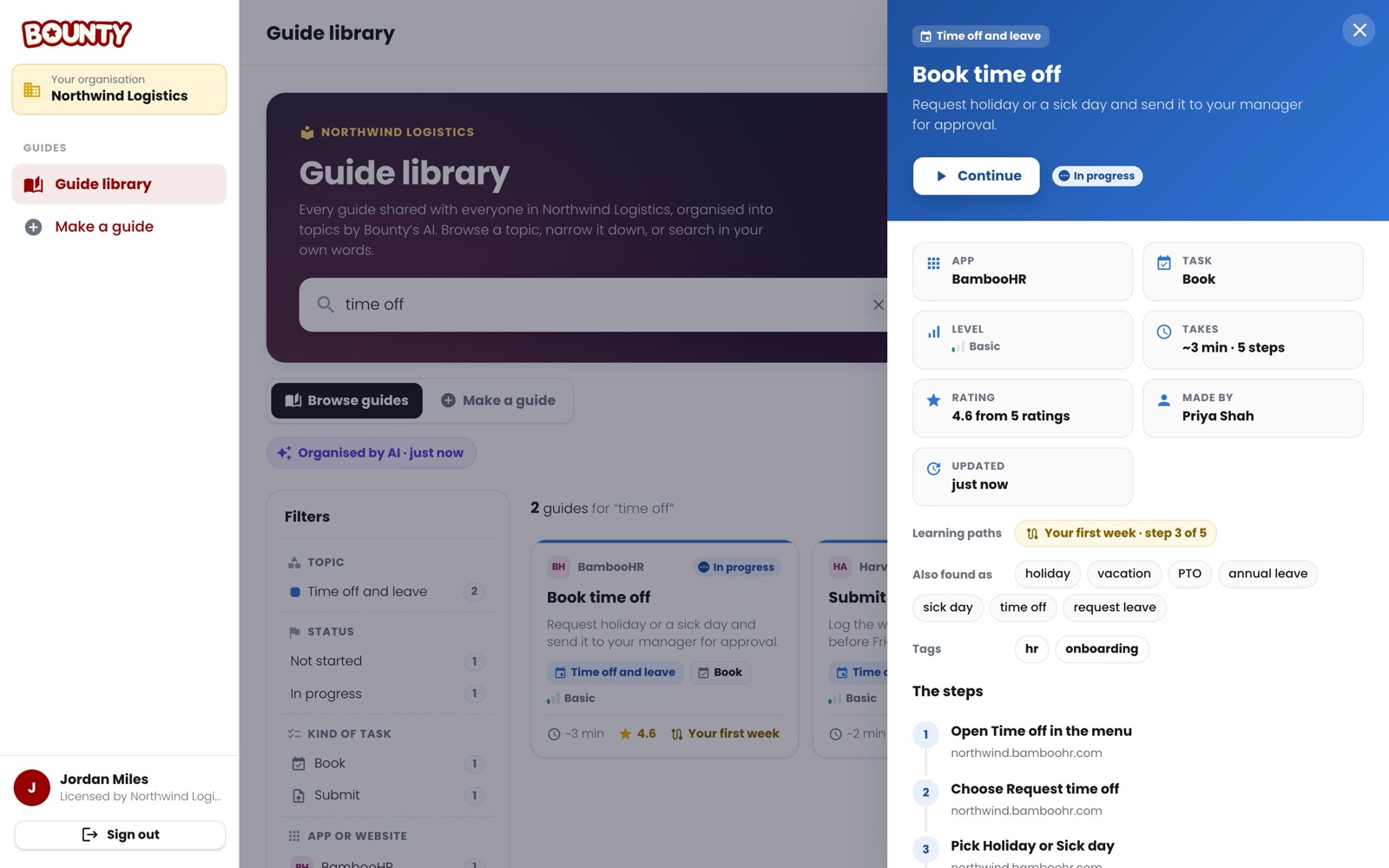
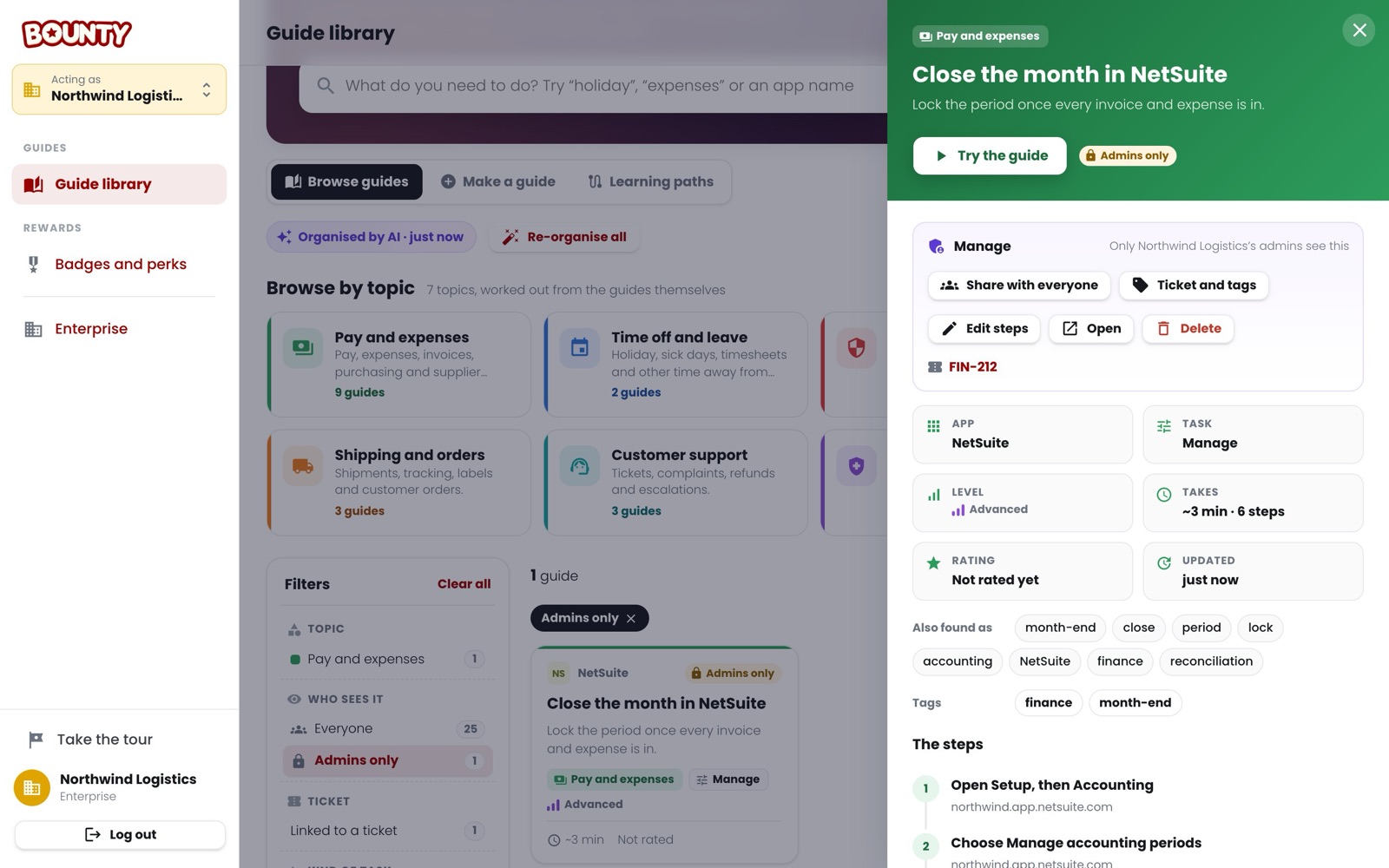
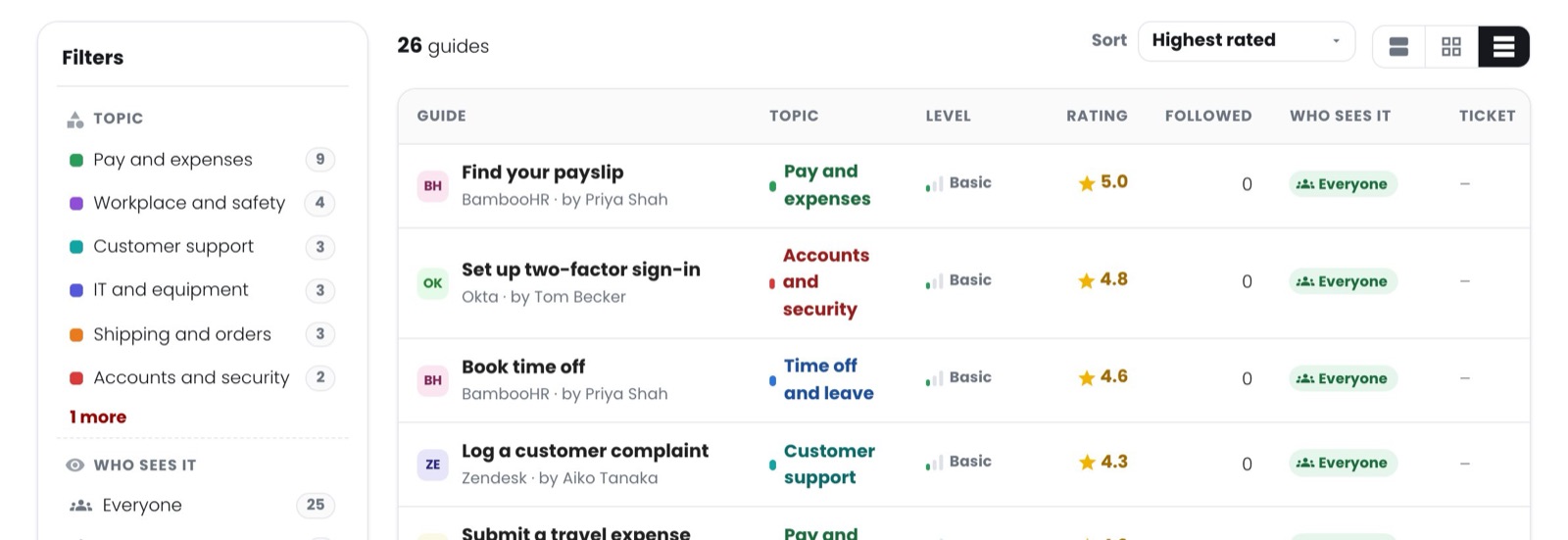
One page in your account where your people browse, search and follow your organisation’s guides, and where your admins look after them. Here is Northwind Logistics’ library: 25 guides for its office, depots and support team.
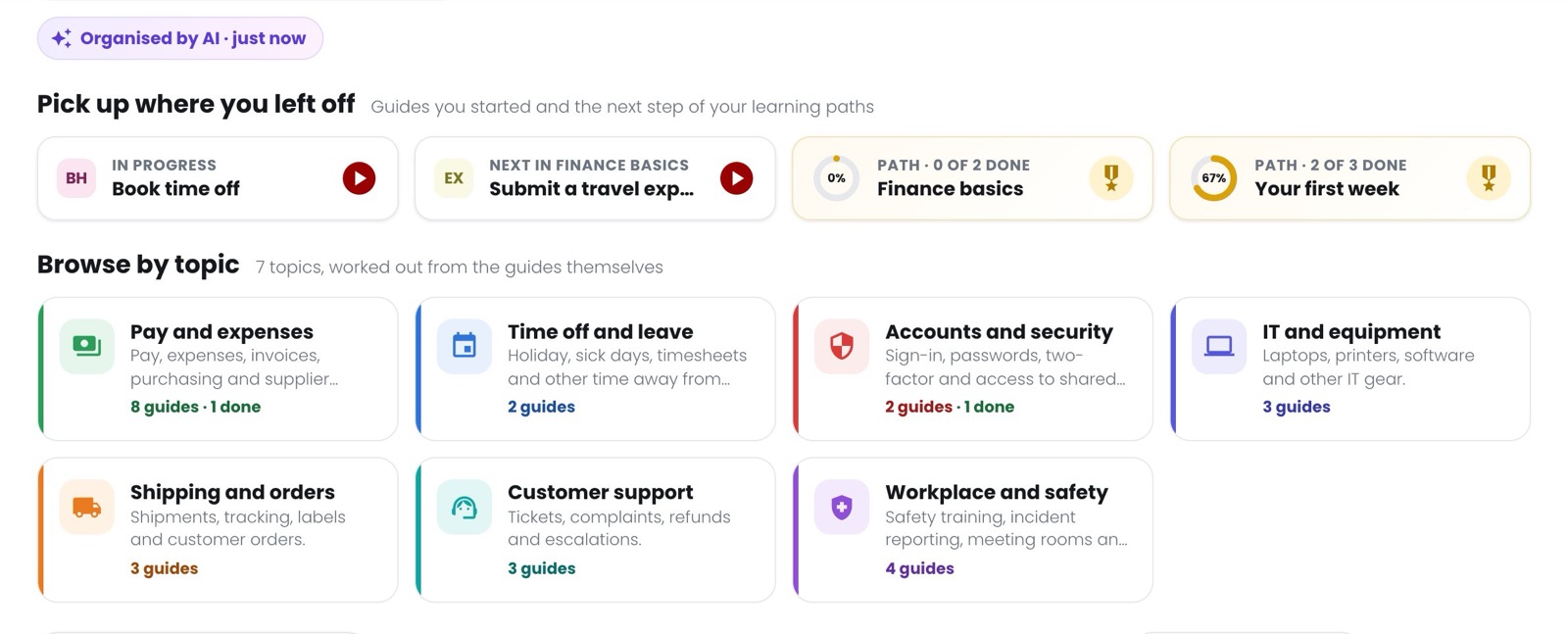
Topics that sort themselves
Bounty’s AI reads every guide your team shares and files it under the areas of work your people think in, like “Money and expenses” or “Time off and leave”. Nobody has to keep a folder tree tidy.
- Each guide gets a topic, the kind of task it is, a level and who it is for
- New and changed guides are sorted as soon as someone opens the library
- Admins can have the whole library re-organised in one click
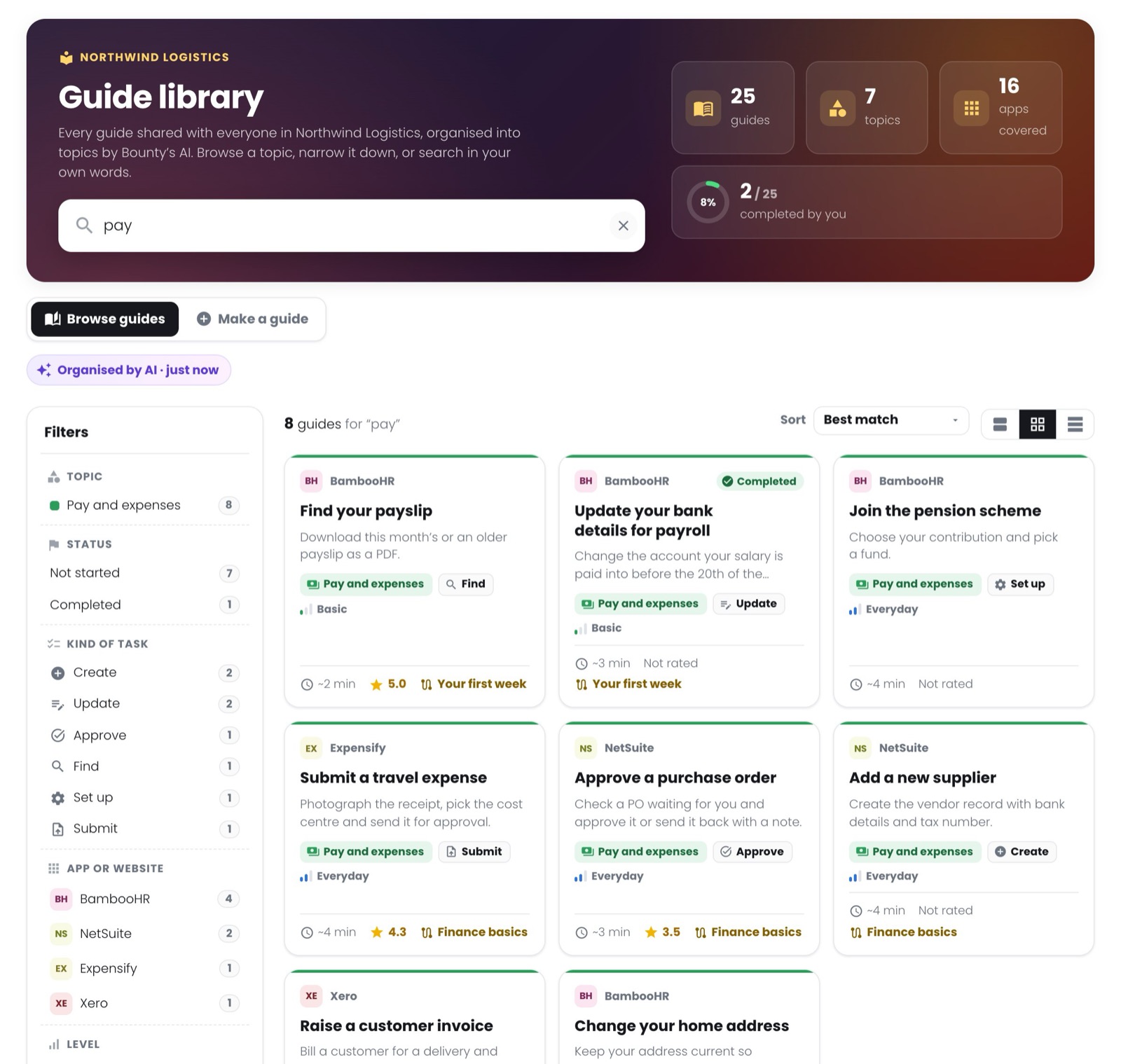
Found in their own words
People search the way they talk. The AI gives every guide the other words people use for it, so “vacation” or “PTO” finds Book time off, and “reimbursement” finds the expense guide.
- Filters for topic, app, kind of task, level, learning path, rating, author and tags, each with counts
- Grouped by topic, as cards, or as a sortable list
- Every filter is in the address, so a search can be sent to a colleague
Everything about it before they start
One click opens a guide’s panel: its steps, how long it takes, how it was rated, who made it and the learning paths it belongs to. Start opens its first page with the Bounty extension, which then shows where to click.
- The steps in order, and the app each one is in
- Ratings from the people who followed it
- Picks up where they left off, if they already started
Onboarding they can see the end of
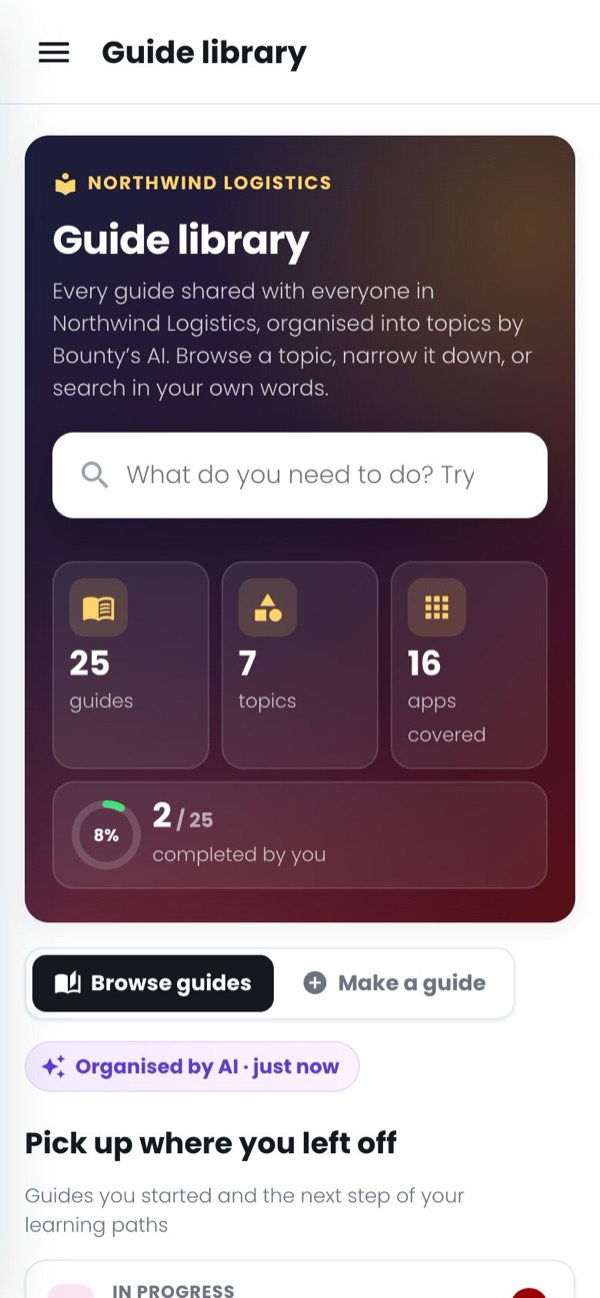
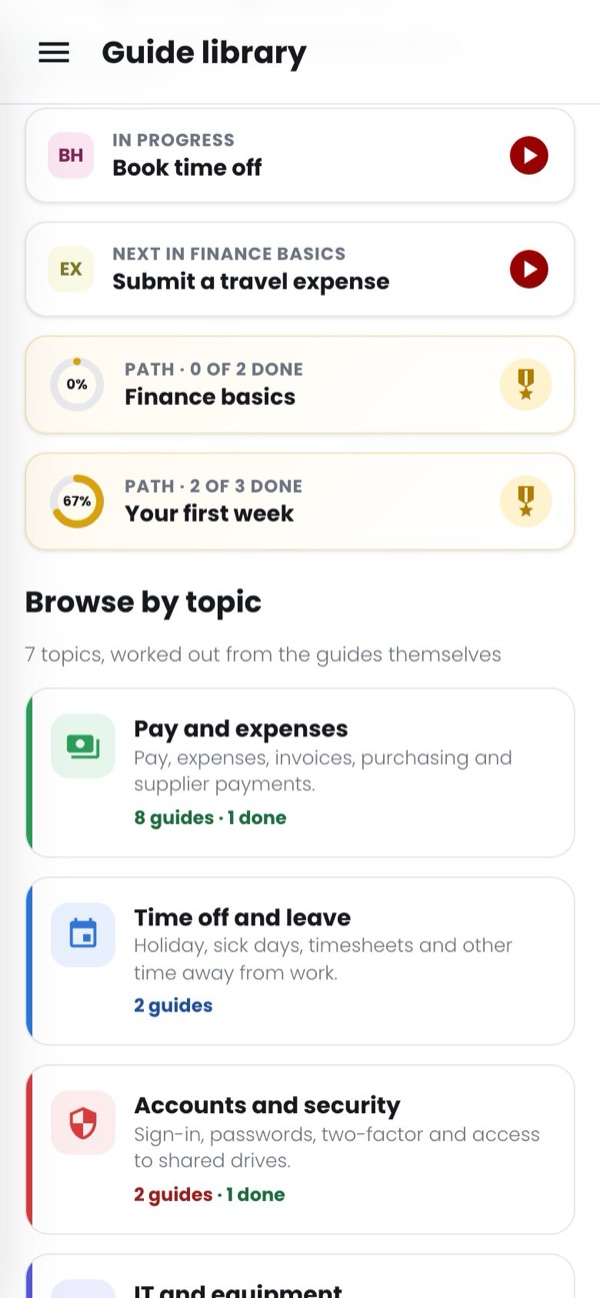
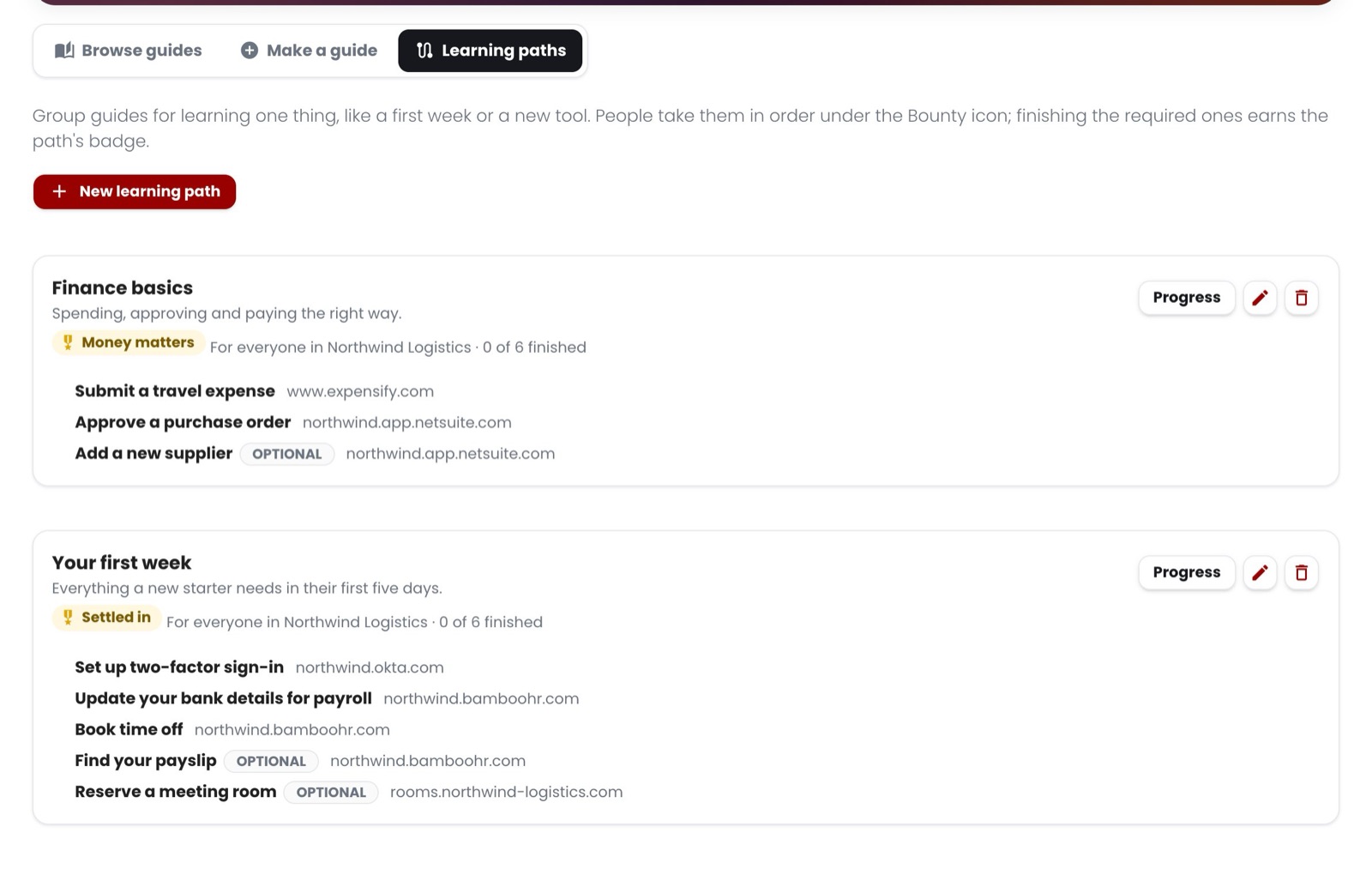
Group guides into paths like “Your first week” or “Finance basics”. Each person sees how far along they are, the guide that comes next, and the badge they earn at the end, on their laptop or their phone.
- Required and optional guides, in the order you choose
- For everyone, or only the people you pick
- Admins see who has finished each guide
Anyone with a licence can add one
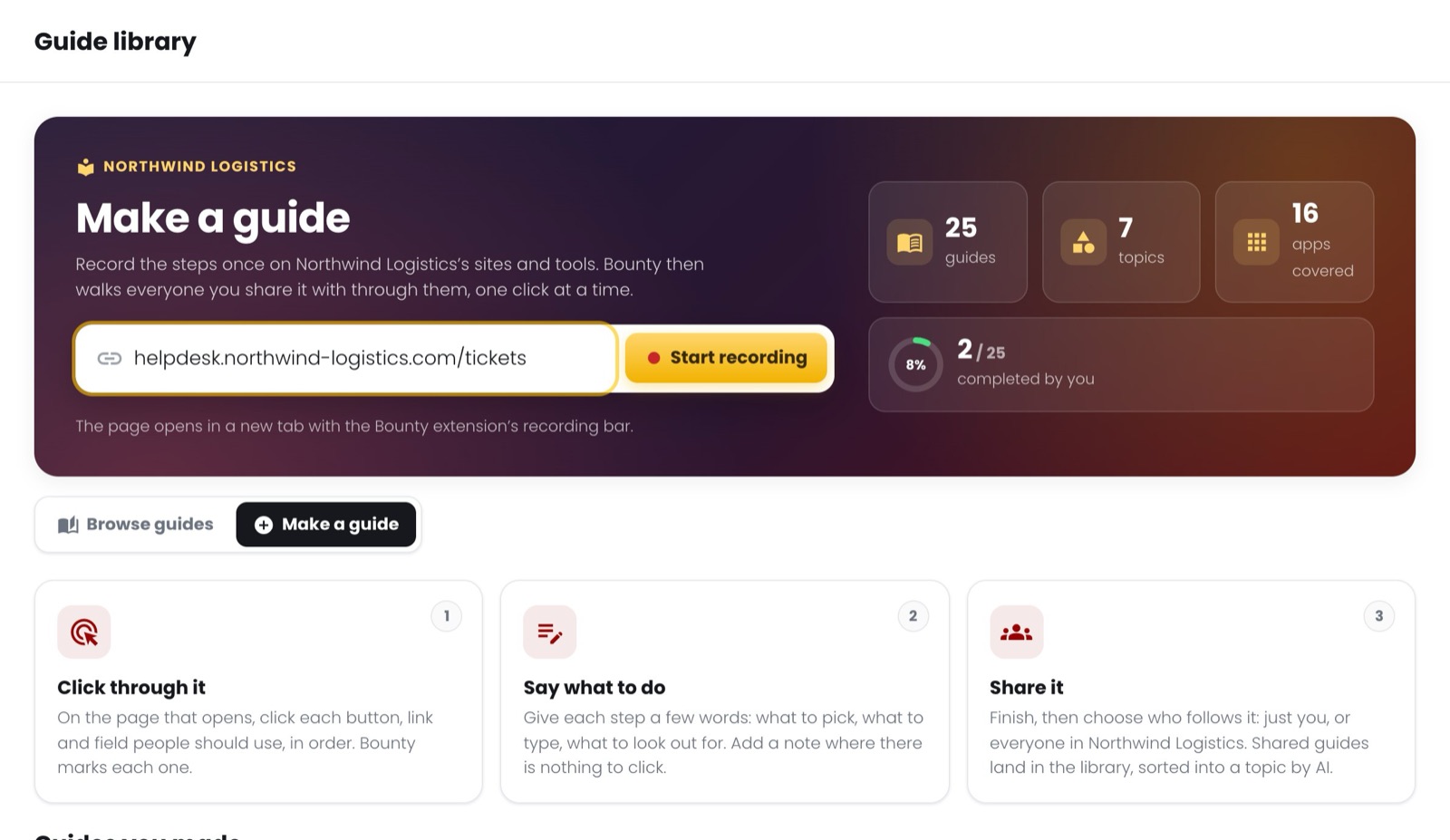
Paste the address of the first page and do the task once. The Bounty extension records each click; a few words on each step and it is a guide. Shared with everyone, it lands in the library and is sorted into a topic.
- Made for your own web apps: CRM, help desk, HR system, intranet
- Kept private until its maker shares it
- Edit the steps afterwards, without recording again
In control of what everyone sees
Admins work in the same library, with the guides kept for admins only and the tools to look after them. Every guide’s panel has a Manage box.
- Share a guide with everyone, or keep it for admins while it is a draft
- File it under the ticket or story it was made for, and tag it
- Edit its steps, delete it, or export the whole library as a spreadsheet
Every process, one step at a time
- A guide library your people browse by topic, organised by AI
- Guides on any website your people use, worked out for what they ask, with no daily limit
- Record a guide for your own web apps (CRM, help desk, intranet) by doing the task once
- Bounty answers a question with your team's guide first
Onboarding people actually finish
- A badge and credits for following a guide to the end
- Checks that each step was done right: the right row, the right status, a save that went through
- Perks your people spend their credits on, and a leaderboard if you want one
One place for everyone
- Add and remove people, and give or take back their keys
- Look after every guide and learning path in the guide library
- Change the number of people or what they get at any time
Credit for doing it right, not for clicking through
Give any of your guides a badge and credits. Your people earn them once, by following the guide to the end with each checked step done right. They spend credits on perks you choose.
Earned once per guide
- You name the badge and set the credits on each guide
- Skipping a checked step means no reward that time
- A leaderboard by credits, if you turn it on
Work the app itself confirms
- Only the row they searched for or picked counts
- A field counts only at the value you set
- A save counts only once the app says it went through
Things only you can give
- Leave early on Friday, lunch with the team lead, first pick of vacation days
- Requests wait for an admin to approve, mark given or decline (credits back)
- Stock and a limit per person, if you want them
Credits are points inside your organisation, not money: Bounty never pays out cash, coupons or gift cards. If you want a gift card to be a perk, add it as one and hand it out yourselves. What people type while a step is checked stays in their own browser; Bounty only learns whether the check passed.
Pay per person, per month
Pay yearly and save 20%.

Questions before you start?
Tell us about your team and the web apps they use, and we will help you set it up.